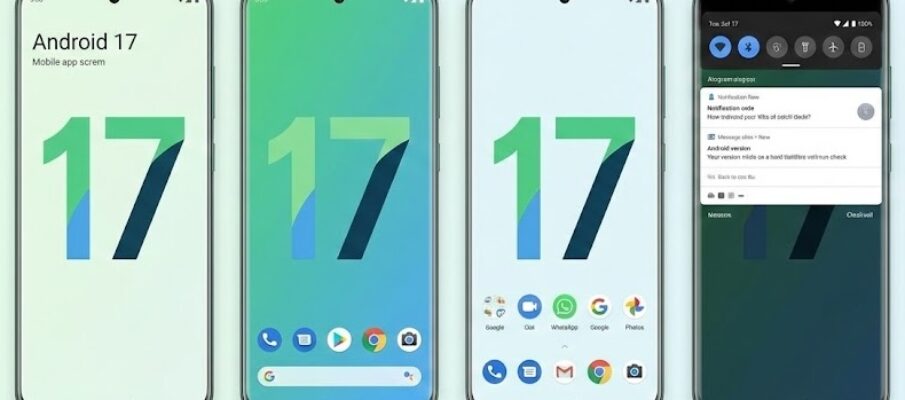
Google has started the next Android testing cycle with Android 17 Beta. The plan sounded simple. Google would move people from the final Android 16 quarterly test build into the first Android 17 beta. Then testers would begin getting the update as a normal system update on supported Pixel devices.
Then Google changed course at the last moment. Reports say Google told several outlets that Android 17 Beta 1 will come soon, but it will not roll out on February 11, 2026. Google did not share a public reason for the pause. That detail matters because it changes what “goes live” means right now. People can prepare, and developers can start planning around the feature set, but most users should expect a short wait before the over the air update appears in settings.
Even with the pause, this beta cycle signals something bigger. Google wants a faster and steadier update rhythm. Google also wants apps to behave better on tablets, foldable phones, and windowed layouts. Google ties Android 17 Beta 1 to that push, plus a set of speed and smoothness improvements that target everyday phone use.
What “beta” means in normal language
A beta build is not the final version. Google uses it to test changes in public, not only inside the company. That testing helps Google find crashes, battery drains, app issues, and weird device bugs. It also gives app makers time to fix problems before the stable release lands.
Beta software can feel fine for many people. It can also break things without warning. A banking app may refuse to open. Bluetooth audio can glitch. Camera apps can misbehave. Some problems last a day, others last weeks.
Google designs the beta track for people who can handle those risks. Many people treat it like a preview. Developers treat it like a deadline. They need time to confirm that their apps still work.
The biggest theme: apps must handle big screens better
Android phones no longer fit one shape. Tablets returned. Foldable devices became common. Some phones now run in desktop style windowing on external screens. These devices expose weak app design fast.
An app that locks into one orientation can look awkward on a foldable phone. An app that refuses resizing can waste screen space. An app can show thick black bars that make the interface feel unfinished.
Android 17 Beta 1 puts a spotlight on this problem. Reports describe a stronger stance from Google. Google wants developers to stop opting out of large screen support. That push should reduce the number of apps that look stretched, cropped, or boxed in when someone opens them on a tablet or an unfolded foldable.
This change sounds developer focused, but it hits normal users too. When apps resize correctly, the phone feels smoother. Multitasking works better. Split screen feels less fragile. The device starts to feel like it matches the price tag.
Speed boosts that target the annoying stuff you feel every day
Most people do not care about “under the hood” changes until they feel the results. Android 17 Beta 1 puts a lot of weight on those results. Reports point to performance work that aims to reduce stutters and improve memory handling.
Here is what that means in plain terms.
Fewer stutters during scrolling and switching
Phones stutter when the system falls behind while drawing the next frame on the screen. This usually shows up during fast scrolling, app switching, or heavy animations. Even tiny pauses feel worse on high refresh rate screens because your eyes expect smooth movement.
Android 17 Beta 1 aims to cut down those missed frames. That should make motion look steadier, even on older devices.
Better memory cleanup that wastes less processing power
Apps create temporary data all the time. The system later cleans it up. That cleanup can steal processing time at the wrong moment. When that happens, the phone can pause for a beat. Some people call it “micro lag.”
Reports say Android 17 introduces a newer style of memory cleanup that reduces the processing cost. The promise sounds simple. The phone spends less time cleaning memory, so it spends more time running what you asked it to do.
Leaner notification behavior
Notifications look simple, but they can build up in memory. They also trigger background work. Android 17 Beta 1 reportedly adds new limits meant to reduce memory use tied to notifications. That could help on devices that run many chat apps and email accounts.
This part matters for people who keep dozens of apps installed. It also matters for people who never reboot their phone.
Media and camera upgrades that aim for consistency
Android camera quality depends on more than the sensor. It depends on how apps talk to the camera system. It also depends on how audio behaves across different apps and devices.
Reports say Android 17 Beta 1 adds “pro level” tools for media and camera apps. The focus is not on flashy filters. The focus is on consistency and smooth changes.
Smoother camera mode switches
Many camera apps restart parts of the camera session when you change modes. That restart can cause a visible hitch. You see a short freeze, then the viewfinder returns.
Android 17 Beta 1 reportedly introduces tools that help apps switch modes with fewer interruptions. If developers use them well, the camera can feel more responsive during those mode jumps.
More stable audio behavior across apps and devices
Audio can behave differently depending on the app, the connected headset, and the device brand. People notice this most when they swap between video, calls, and voice messages. Volume levels can jump. Audio routing can act strange.
Android 17 Beta 1 reportedly targets a more consistent listening experience. If Google gets this right, fewer people will need to fight with audio settings after each app switch.
Google’s testing model keeps changing
Google has also changed the way it delivers early builds. The company now talks about a more continuous stream of updates, rather than a long quiet wait between big milestones. That matches the way Android now ships. Users get major releases plus quarterly updates. Developers get frequent platform adjustments.
This shift can help, but it also creates noise. When Google adjusts a schedule at the last second, people feel confused. That happened this week. A short pause is not rare in software releases, but the timing felt messy.
The practical takeaway stays clear. Android 17 work has started in public. The beta cycle has momentum. People enrolled in recent Android test builds should watch their update screen closely over the next days.
How to join Android beta testing without wrecking your phone
Google runs a public beta program for Pixel devices. Enrollment uses your Google account. When you opt in, Google sends the beta build as a normal system update.
Two warnings matter more than the rest.
First, beta builds can break features you rely on.
Second, leaving the beta program can force a full wipe of the device in many cases. That means photos, downloads, and local files can disappear if you do not back them up. Google warns about this risk on the beta program page.
People who want to test should treat the process like a mini device reset plan. They should back up photos, messages, and key files. They should also expect a few bugs. They should not install the beta on a phone used for work unless they can accept downtime.
Who should try Android 17 Beta, and who should wait
Android 17 Beta fits three groups well.
Developers who need early access for app testing.
Tech enthusiasts who enjoy testing and reporting bugs.
People with a spare Pixel device they can wipe without stress.
Everyone else should wait. A stable release will come later. It will arrive with broader testing behind it. It will also ship with fewer rough edges.
What to watch next
Google has not shared a new exact day for the rollout in the reports that mention the pause. The key signal will show up in a simple place. The update will appear as a system update for enrolled devices. When that happens, the wider testing phase truly begins.
Android 17 Beta also sets expectations for the rest of 2026. App support on large screens will keep improving. Smoother performance will stay a focus. Camera and audio consistency will keep getting attention.
For now, the story centers on two things. Google wants Android to feel more polished across device types. Google also wants the platform to feel faster in normal use. The beta cycle will show how well those goals translate into real daily use.
