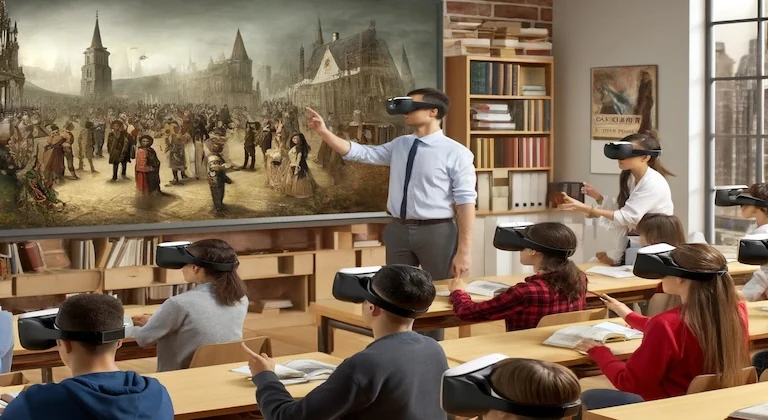
Augmented reality in education can make lessons easier to see, touch, and understand. Instead of replacing teachers or textbooks, AR adds a digital layer to the real classroom. A student can point a tablet at a worksheet and see a 3D heart. A history class can place an old building on a desk. A science lesson can show the solar system moving above the page.
The best use of AR is simple: help students understand something that is hard to picture with words alone. It works well for space, scale, movement, structure, and process. It is less useful when it is added only because it looks impressive. Good teaching still comes first. AR should support the lesson, not distract from it.
This guide explains what AR does in education, where it helps most, where it can fail, and how schools can use it in a practical way. The language is intentionally clear, because teachers, parents, school leaders, and students should be able to understand the value without needing a technical background. For broader technology planning, see our article on using technology to improve productivity.
What Is Augmented Reality in Education?
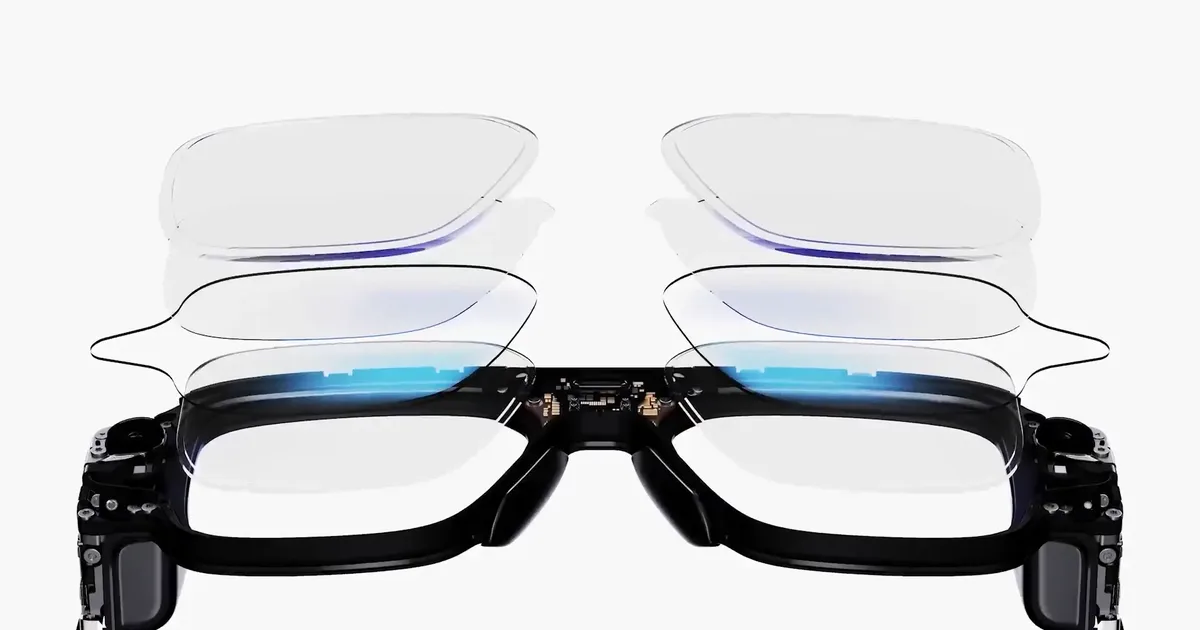
Augmented reality, often called AR, adds digital content to the real world. Students still see their classroom, book, poster, desk, or lab equipment, but a phone, tablet, headset, or camera-based app adds extra information on top. That extra layer may be a 3D model, label, animation, quiz prompt, sound, instruction, or simulation.
AR is different from virtual reality. Virtual reality usually places the student inside a fully digital space. AR keeps the real world visible and adds digital content to it. That makes AR easier to use in many classrooms because students can still see the teacher, classmates, notes, and physical materials.
Why AR Can Help Students Learn
Many school topics are difficult because students cannot easily see what is happening. A cell is too small. A planet is too far away. A chemical reaction is too fast. A historical city no longer looks the same. A geometry shape may be hard to rotate mentally. AR can make these ideas visible.
It also supports active learning. Students can move around a model, zoom in, compare parts, answer prompts, and explain what they see. That movement can help students who learn better through visual and hands-on activity. It can also make class discussion more concrete because everyone is looking at the same model or scene.
Best Classroom Uses for AR
AR does not belong in every lesson. It is strongest when the topic involves structure, scale, motion, location, or step-by-step process. The table below shows where it fits naturally.
| Subject area | Useful AR activity | Why it helps | Simple classroom task |
|---|---|---|---|
| Science | 3D models of organs, cells, atoms, planets, or ecosystems. | Students can see parts, movement, and relationships that are hard to show on a flat page. | Rotate a heart model and label the path of blood flow. |
| History | Rebuild old cities, monuments, tools, maps, or events over a real surface. | Students connect facts to place, scale, and visual context. | Compare a historical site before and after a major event. |
| Math | Explore 3D shapes, angles, symmetry, area, and volume. | Abstract ideas become easier to inspect from different sides. | Change a prism's size and predict how volume changes. |
| Language learning | Attach words, sounds, and visual labels to real classroom objects. | Students connect vocabulary to physical context. | Scan objects and speak the new word in a sentence. |
| Career and technical education | Show machine parts, safety steps, wiring paths, or repair instructions. | Students can practice procedures before touching expensive or risky equipment. | Follow an AR safety checklist before using a tool. |
Benefits of AR in Education
1. Better understanding of complex ideas
AR can turn a difficult idea into something students can inspect. A diagram of the lungs is useful, but a model that expands and contracts can make breathing easier to understand. A map of a battlefield is useful, but a layered model can show movement, terrain, and timing together.
2. Higher engagement when used with purpose
Students often pay attention when a lesson feels active. AR can create that moment of curiosity. The key is to turn attention into learning. A teacher should ask students to predict, observe, explain, compare, or solve a problem instead of only watching the model.
3. More support for different learning styles
Some students learn best by reading. Others need pictures, sound, movement, or practice. AR can combine several modes at once. It can help visual learners, hands-on learners, and students who struggle to imagine shapes or systems from text alone.
4. Safer practice before real-world tasks
In science labs, medical training, engineering, and technical education, AR can show a process before students try it physically. It can highlight danger zones, show labels, and walk students through steps. This does not replace real practice, but it can make first practice safer and clearer.
5. Stronger collaboration
AR can give groups a shared object to discuss. Students can take roles: one observes, one records, one asks questions, and one explains. That makes the activity social, not just screen-based.
How Teachers Can Plan an AR Lesson
A good AR lesson starts with the learning goal, not the app. The teacher should decide what students must understand by the end of the lesson. Then AR can be used only if it makes that goal easier to reach.
- Start with the topic. Pick a concept that students often find hard to picture or practice.
- Define the learning outcome. Decide what students should explain, label, compare, build, or solve after using AR.
- Choose a simple AR activity. Avoid long setup. The tool should support the lesson quickly.
- Add a student task. Ask students to record observations, answer questions, draw a process, or teach the idea back.
- Check understanding. Use a short quiz, exit ticket, group explanation, or written reflection.
- Review what worked. Keep the activity only if it improved learning, not just attention.
AR in Online and Hybrid Learning
AR can also help outside the classroom. A remote student can scan a worksheet at home and see a model. A teacher can assign a short AR activity before a live session. A class can use AR as part of a project, then discuss findings online.
This is useful when students do not all have access to the same physical materials. A student may not have a lab model at home, but a phone or tablet can show a useful version. Still, schools need a backup plan for students who do not have a compatible device or stable internet. Fair access matters.
Accessibility and Inclusion
AR can support accessibility, but only if it is designed with inclusion in mind. Visual models should have readable labels. Audio should have captions or written alternatives. Activities should not require fast movement or long screen time. Students who get motion discomfort should have another way to complete the task.
Teachers should also consider students with low vision, hearing differences, motor challenges, attention difficulties, or language needs. AR should add options, not create a new barrier. A printed diagram, video, tactile model, or teacher demonstration can be used alongside AR when needed.
Costs, Devices, and Practical Limits
The biggest barrier to AR is not the idea. It is practical use. Schools need devices, app management, teacher training, support, privacy checks, and time to plan lessons. Some AR tools are simple, but high-quality custom content can be expensive.
Schools should start small. A pilot lesson in one subject is better than buying tools for every classroom without a plan. If the pilot improves learning and teachers can manage it, the school can expand slowly.
| Decision area | Good question to ask | Why it matters | Practical answer |
|---|---|---|---|
| Lesson fit | Does AR make this concept easier to understand? | Prevents novelty from replacing teaching quality. | Use AR for visual, spatial, or step-by-step topics. |
| Device access | Can every student participate fairly? | Stops the activity from excluding students. | Use pairs, shared devices, or a non-AR backup task. |
| Teacher time | Can the activity be prepared and managed easily? | Teachers need tools that fit real schedules. | Start with ready-made activities before custom content. |
| Privacy | What data does the app collect? | Education tools may involve student data and cameras. | Review permissions, accounts, storage, and school policy. |
| Assessment | How will we know students learned more? | Engagement is not the same as understanding. | Use short explanations, quizzes, labels, or projects. |
Examples of AR Lessons
Science: human body systems
Students view a 3D body model and focus on one system at a time. The teacher asks them to trace a process, such as oxygen moving from the lungs into the blood. Students then explain the process without the model to show understanding.
History: ancient buildings and cities
Students place a digital model of a building or city on a desk. They compare the model to a map or reading passage. The task is to explain how location, materials, trade, or defense shaped the place.
Math: geometry and volume
Students rotate 3D shapes and change dimensions. They predict how area or volume will change, then test the result. This helps connect formulas to visible structure.
Career training: equipment safety
Students use AR labels to identify parts of a tool or machine before practice. The app can show warnings, correct order of steps, and common mistakes. The teacher still supervises the real task.
AR, AI, and Connected Learning
Future education tools may combine AR with artificial intelligence, cloud platforms, and connected devices. AR can show the model, AI can adjust feedback, and connected systems can track progress. That can be useful, but schools must handle it carefully. More technology also means more questions about privacy, fairness, cost, and teacher control.
For related technology context, see our articles on AI in cloud computing and Internet of Things technology. These fields are different from AR, but they often connect in modern learning tools.
Common Mistakes to Avoid
Mistake one: using AR without a learning goal. If students cannot explain what they learned, the activity was only entertainment.
Mistake two: choosing tools that are too hard to manage. A simple tool used well is better than an advanced tool that wastes class time.
Mistake three: forgetting students without devices. AR lessons need fair access or an equal alternative.
Mistake four: skipping teacher training. Teachers need time to test the activity, plan questions, and prepare backup steps.
Mistake five: treating AR as a replacement for discussion. Students still need to speak, write, compare, ask questions, and explain ideas in their own words.
FAQ
Is AR expensive for schools?
It can be, but it does not have to start that way. Many schools can begin with shared tablets, simple apps, and one pilot lesson. Custom AR content is usually more expensive.
Does AR improve learning?
AR can improve learning when it supports a clear goal, especially for visual, spatial, or process-based topics. It is less useful when it is added only for excitement.
Can AR replace teachers?
No. AR is a teaching tool. Teachers still guide the lesson, ask questions, check understanding, support students, and connect the activity to the curriculum.
What age group benefits most from AR?
Many age groups can benefit, but the activity must match the student's age and attention level. Younger students need shorter, simpler tasks. Older students can handle deeper investigation and projects.
Conclusion
Augmented reality can make education more visual, active, and memorable. It helps students see things that are too small, too large, too far away, too dangerous, or too abstract to experience directly. Used well, it can support science, history, math, language learning, technical training, and online lessons.
The best AR learning is not about the technology itself. It is about clear teaching. Schools should start with a real learning problem, choose simple tools, plan fair access, train teachers, protect student data, and measure whether students understand more after the activity. When AR serves the lesson, it can become a valuable part of modern education.