Cloud computing is one of the most important foundations of modern technology. It powers websites, mobile apps, online storage, business software, data analytics, artificial intelligence, streaming platforms, remote work, and many everyday tools. Even if the term sounds technical, the basic idea is simple: instead of owning and managing every server yourself, you use computing resources delivered through the internet.
For beginners, the cloud can feel confusing because it includes many terms: servers, storage, databases, networking, SaaS, PaaS, IaaS, public cloud, private cloud, hybrid cloud, containers, serverless, and more. This guide explains the core concepts in plain language so you can understand how cloud computing works and why businesses use it.
If you are reading this as a starting point, you can later go deeper with our guides on choosing a cloud service provider, cloud security best practices, and cloud-native applications.
What Is Cloud Computing?
Cloud computing is the delivery of computing services over the internet. These services can include servers, storage, databases, networking, software, analytics, security tools, development platforms, and artificial intelligence services. Instead of buying physical hardware and keeping it in your own office or data center, you rent what you need from a cloud provider.
A simple example is online file storage. You upload a file, access it from different devices, and share it with others. Behind the scenes, the provider manages servers, storage, backup, networking, updates, and availability. The user gets the service without needing to manage the infrastructure.
Cloud computing is not only for large companies. Small businesses, freelancers, schools, developers, and home users all use cloud services. Email platforms, accounting tools, video meetings, website hosting, backups, and collaboration apps often run in the cloud.
Why Businesses Use Cloud Computing
Companies use cloud computing because it can make technology more flexible, faster to deploy, easier to scale, and less dependent on large upfront hardware purchases. A business can start small and increase resources as demand grows.
Cloud computing also helps teams work from different locations. Applications and data can be available through secure internet access, which supports remote work, shared documents, distributed teams, and online customer services.
Common benefits
- Lower upfront cost. Businesses do not need to buy all hardware before starting.
- Scalability. Resources can increase or decrease based on demand.
- Faster setup. Servers, databases, and applications can be created quickly.
- Remote access. Employees and customers can access services from different locations.
- Managed maintenance. Cloud providers handle many infrastructure tasks.
- Disaster recovery. Cloud backups and replication can improve resilience.
Cloud Service Models: IaaS, PaaS, and SaaS
Cloud services are often grouped into three main models: Infrastructure as a Service, Platform as a Service, and Software as a Service. These models describe how much the customer manages and how much the provider manages.
| Model | What it means | Customer manages | Good for |
|---|---|---|---|
| IaaS | Infrastructure as a Service gives access to virtual servers, storage, and networking. | Operating system, applications, data, security settings, and updates above the infrastructure. | Teams that need control over servers without buying physical hardware. |
| PaaS | Platform as a Service gives developers a managed environment to build and run applications. | Application code, data, configuration, and access controls. | Developers who want to build apps without managing servers directly. |
| SaaS | Software as a Service delivers complete applications through the internet. | User accounts, permissions, settings, and business data inside the app. | Email, accounting, CRM, collaboration, support, and productivity tools. |
A simple way to remember the difference is this: IaaS gives you building blocks, PaaS gives you a place to build, and SaaS gives you a finished product. Most businesses use all three in different ways.
Cloud Deployment Models
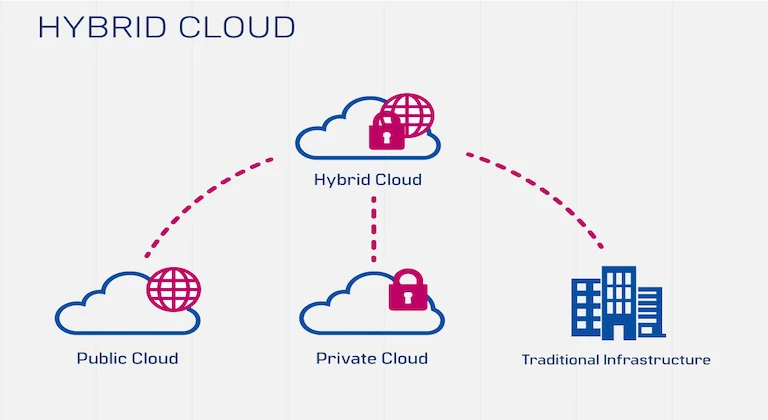
A deployment model describes where cloud resources run and who uses them. The four common models are public cloud, private cloud, hybrid cloud, and multi-cloud.
| Deployment model | Simple explanation | Main advantage | Main challenge |
|---|---|---|---|
| Public cloud | Services run on infrastructure owned by a cloud provider and shared across many customers. | Fast setup, broad services, and flexible scaling. | Requires strong configuration, cost control, and provider governance. |
| Private cloud | Cloud-style infrastructure is dedicated to one organization. | More control over data, access, and environment design. | Can be more expensive and harder to operate. |
| Hybrid cloud | Private infrastructure and public cloud resources work together. | Balances control, flexibility, migration, and compliance needs. | Needs careful networking, identity, monitoring, and security design. |
| Multi-cloud | A company uses services from more than one cloud provider. | Can reduce dependency on one provider and match services to needs. | Can increase complexity, skills requirements, and management overhead. |
For many beginners, public cloud is easiest to understand because it is widely used and quick to start. As companies grow, they may use hybrid cloud to keep sensitive systems private while using public cloud for analytics, apps, backups, or demand spikes. Our guide to hybrid cloud architecture explains that model in more detail.
Important Cloud Computing Concepts
Scalability
Scalability means the ability to increase or decrease resources as demand changes. If a website gets more visitors, the cloud can add capacity. If demand drops, resources can be reduced to avoid waste.
Elasticity
Elasticity is similar to scalability, but it focuses on automatic adjustment. An elastic system can respond quickly to changing demand without manual work every time.
Availability
Availability means a service is reachable when users need it. Cloud systems often use multiple servers, regions, backups, and monitoring to reduce downtime.
Latency
Latency is the delay between a user action and the response. A cloud service should be placed and designed so users can access it quickly.
Shared responsibility
Shared responsibility means the cloud provider protects some parts of the environment, while the customer protects other parts. For example, the provider may secure the physical data center, but the customer must manage passwords, permissions, data classification, and application settings.
Cloud Security Basics for Beginners
Cloud security starts with simple habits. Use strong passwords, multi-factor authentication, limited permissions, encryption, backups, software updates, and careful monitoring. Do not give every user admin access. Do not store secrets in code. Do not make storage public unless there is a clear reason.
Security also depends on understanding what data you have. Customer records, payment data, employee files, medical information, and internal business documents should be handled with more care than public marketing files. Our full guide to securing data in the cloud covers the controls businesses should plan from the start.
Cloud Costs: Why Pay-As-You-Go Needs Control
One of the biggest cloud benefits is pay-as-you-go pricing. You can pay for resources as you use them instead of buying hardware upfront. This is useful, but it can also create surprise bills if nobody watches usage.
Costs can come from compute, storage, databases, backups, network transfer, logs, support plans, third-party services, and idle resources. Beginners should learn to set budgets, tag resources, delete unused services, review storage growth, and monitor traffic. Cloud computing can save money, but only when it is managed carefully.
Common Cloud Use Cases
- Website and app hosting. Businesses can launch websites and applications without buying servers.
- Backup and disaster recovery. Data can be copied to cloud storage for safer recovery.
- Remote work tools. Teams can use shared documents, email, chat, and business apps online.
- Data analytics. Companies can store and process large datasets for reporting and decisions.
- Artificial intelligence. Cloud platforms provide compute and tools for model training, prediction, and automation.
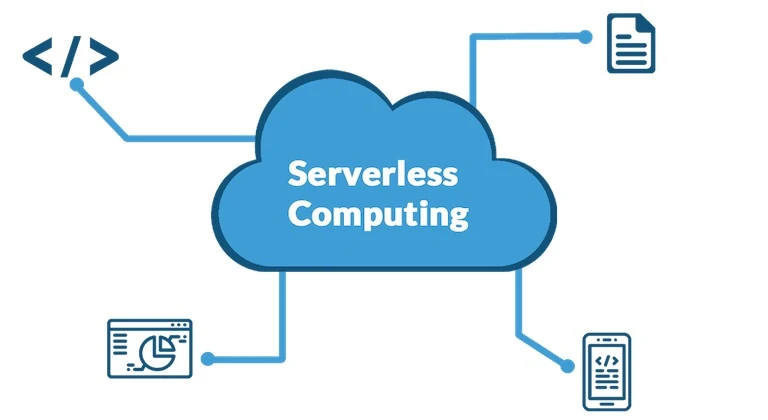
- Serverless jobs. Small pieces of code can run only when an event happens.
For deeper technical paths, read our articles on data analytics in the cloud, AI in cloud computing, and serverless computing.
How to Start Learning Cloud Computing
- Learn the core terms. Start with compute, storage, databases, networking, identity, and security.
- Understand service models. Know the difference between IaaS, PaaS, and SaaS.
- Practice with a small project. Try hosting a simple website, creating a database, or backing up files.
- Study security early. Learn permissions, multi-factor authentication, encryption, and backups before moving sensitive data.
- Watch costs from day one. Use budgets and alerts even for small experiments.
- Compare providers carefully. Look at pricing, support, regions, services, compliance, and ease of use.
Mistakes Beginners Should Avoid
| Mistake | Why it causes problems | Better approach |
|---|---|---|
| Giving too much access | One compromised account can damage many systems. | Use least privilege and review permissions regularly. |
| Ignoring costs | Unused resources, logs, and data transfer can create surprise bills. | Set budgets, alerts, tags, and cleanup routines. |
| No backup plan | Data loss can happen through mistakes, outages, or attacks. | Use tested backups and recovery steps. |
| Moving everything at once | Large migrations increase risk and confusion. | Start with low-risk workloads and learn before expanding. |
| Assuming the provider handles all security | The customer still controls users, data, apps, and configuration. | Understand shared responsibility before launching services. |
FAQ
Is cloud computing only for big companies?
No. Small businesses and individuals use cloud services every day for email, file storage, websites, backups, accounting, collaboration, and software development.
Is the cloud just someone else's computer?
That phrase is partly true but incomplete. The cloud uses real computers, but it also includes automation, networking, security, storage systems, monitoring, managed services, and global infrastructure.
Do I need programming skills to use cloud computing?
Not always. Many SaaS tools require no programming. Technical cloud roles need more skills, especially for infrastructure, development, security, automation, and data work.
Is cloud computing safe?
Cloud computing can be safe when configured properly. Security depends on provider controls and customer practices such as access management, encryption, backups, updates, and monitoring.
Conclusion
Cloud computing is easier to understand when you break it into simple parts: services delivered over the internet, flexible resources, shared responsibility, service models, deployment models, security, and cost control. The cloud is not a single product. It is a way to use technology without owning and managing every layer yourself.
For beginners, the best approach is practical. Learn the vocabulary, understand the main models, start with small projects, protect data carefully, and track costs from the beginning. Once the fundamentals are clear, advanced topics like hybrid cloud, cloud-native applications, serverless computing, data analytics, and AI become much easier to understand.