Artificial intelligence is changing cloud computing from a place where companies rent infrastructure into a smarter operating platform. Cloud services already provide storage, compute, databases, networking, and analytics. AI adds the ability to detect patterns, automate decisions, predict demand, improve security, and help teams manage complex systems with less manual effort.
This combination matters because modern cloud environments are no longer simple. A business may run websites, mobile apps, data pipelines, security tools, customer platforms, APIs, and internal systems across several cloud services. Manually watching every metric, log, cost signal, and security event is difficult. AI can help teams find the important signal faster.
AI in cloud computing does not mean every decision should be fully automated. The best results come when AI supports clear business goals, strong data governance, security controls, human review, and measurable outcomes. For wider cloud context, read our guides on future cloud computing trends and cloud-native applications.
What Does AI in Cloud Computing Mean?
AI in cloud computing refers to the use of machine learning, predictive analytics, automation, natural language processing, anomaly detection, and intelligent optimization inside cloud platforms and cloud-based applications. It can help run infrastructure more efficiently, protect data, improve user experiences, and turn large datasets into useful decisions.
The cloud also makes AI easier to use. AI workloads often need scalable compute, large storage, fast data pipelines, managed model services, and strong networking. Cloud platforms provide those building blocks without requiring every company to buy specialized hardware or build a full AI platform from scratch.
Why Cloud Platforms Are Important for AI
AI projects depend on data and computing power. The cloud helps because it can provide both on demand. A team can store large datasets, process them in batches or streams, train models, deploy APIs, and monitor performance without building every component internally.
This is especially helpful for businesses that want to start with focused AI use cases. They can test forecasting, anomaly detection, customer support automation, document processing, recommendation systems, or operational alerts before expanding into larger programs. The cloud reduces setup time, but the project still needs clean data, clear ownership, and careful security.
| AI cloud capability | What it does | Business value | What to control |
|---|---|---|---|
| Predictive scaling | Forecasts demand and adjusts resources before pressure rises. | Improves performance during spikes and reduces idle capacity. | Cost limits, safe minimum capacity, and model accuracy. |
| Anomaly detection | Finds unusual patterns in logs, metrics, transactions, or user behavior. | Helps detect outages, fraud, abuse, and misconfiguration faster. | False positives, alert fatigue, and investigation workflows. |
| Intelligent security | Prioritizes threats and highlights risky access patterns. | Strengthens response time and improves cloud security posture. | Access permissions, audit trails, and human approval for major actions. |
| Data analytics | Turns large cloud datasets into forecasts, segments, and recommendations. | Supports better planning, personalization, and operational decisions. | Data quality, privacy, governance, and explainability. |
| AI-assisted operations | Summarizes incidents, suggests fixes, and helps with root-cause analysis. | Reduces manual investigation time for technical teams. | Change approval, runbook quality, and production safeguards. |
How AI Improves Cloud Efficiency
1. Smarter resource allocation
Cloud systems can waste money when resources are oversized, idle, or poorly matched to demand. AI can study usage patterns and recommend better instance sizes, storage classes, database capacity, or scaling rules. This can reduce waste while keeping applications responsive.
The key is to treat AI recommendations as part of a cost management process, not as magic. Teams should review trends, test changes, watch performance after each change, and keep budget alerts active. Our article on hybrid cloud architecture explains why workload placement still matters even when automation improves.
2. Predictive autoscaling
Traditional autoscaling often reacts after demand has already changed. AI-driven scaling can use historical traffic, seasonality, campaign schedules, user behavior, and real-time metrics to prepare capacity earlier. This helps reduce slowdowns during predictable peaks.
Predictive scaling is useful for ecommerce events, streaming platforms, financial systems, business dashboards, and public services that experience regular demand changes. It should still include guardrails so that a poor forecast does not create runaway cost.
3. Faster troubleshooting
Cloud environments generate logs, traces, metrics, alerts, and events from many services. AI can group related alerts, summarize incident timelines, spot unusual dependency behavior, and suggest where engineers should look first. That can reduce mean time to resolution when something breaks.
This does not remove the need for skilled engineers. It helps them focus. Strong observability, naming standards, tags, structured logs, and clear service ownership make AI-assisted troubleshooting much more accurate.
How AI Improves Cloud Performance
Performance in the cloud depends on many factors: compute size, database design, caching, network latency, storage choices, code quality, region selection, and the behavior of dependent services. AI can help detect which factor is likely causing a slowdown and recommend targeted improvements.
For example, AI can notice that latency rises only after a certain query pattern, only in one region, or only when a queue becomes backed up. That context helps teams avoid random changes and focus on the real bottleneck.
AI and Cloud Security
Security is one of the strongest use cases for AI in cloud computing. Cloud systems produce a large amount of security data: login attempts, permission changes, network activity, API calls, endpoint behavior, file access, and configuration changes. AI can help identify suspicious patterns faster than manual review alone.
Examples include unusual data downloads, impossible travel login patterns, abnormal API usage, risky permission changes, suspicious container behavior, and repeated failed access attempts. AI can also help rank alerts so security teams focus on the most serious events first.
However, AI does not replace basic cloud security. Teams still need least-privilege access, encryption, secure network design, patching, backups, incident response, dependency scanning, and regular reviews. For a full baseline, see our guide to cloud security best practices.
AI, Data Analytics, and Better Decisions
AI becomes more valuable when connected to reliable data. Cloud analytics platforms can collect information from websites, apps, transactions, support systems, devices, and operational tools. AI can then help forecast demand, segment customers, detect churn risk, personalize content, improve inventory planning, or identify process delays.
The challenge is that AI can amplify bad data. If records are incomplete, duplicated, biased, or poorly governed, the results may be misleading. Businesses should define data owners, quality checks, retention rules, access controls, and review processes before relying on AI outputs for important decisions.
Our guide to data analytics in the cloud explains how storage, processing, governance, and reporting work together before AI is added on top.
Common Use Cases for AI in Cloud Computing
| Use case | How AI helps | Cloud services involved | Risk to manage |
|---|---|---|---|
| Customer support | Summarizes tickets, routes requests, and suggests responses. | Data storage, search, AI models, workflow tools, and APIs. | Incorrect answers, privacy exposure, and weak escalation rules. |
| Fraud detection | Finds unusual transaction patterns and risky behavior. | Streaming data, analytics, databases, and alerting systems. | False positives, bias, and delayed investigation. |
| Operations monitoring | Detects abnormal metrics and groups related incidents. | Logs, metrics, traces, dashboards, and automation workflows. | Alert fatigue and unsafe automatic remediation. |
| Content personalization | Recommends products, articles, videos, or next actions. | User profiles, event streams, model APIs, and databases. | Consent, data minimization, and over-personalization. |
| Document processing | Extracts fields, classifies files, and flags exceptions. | Object storage, queues, serverless functions, and AI services. | Accuracy checks, auditability, and sensitive data handling. |
AI in Serverless and Event-Driven Systems
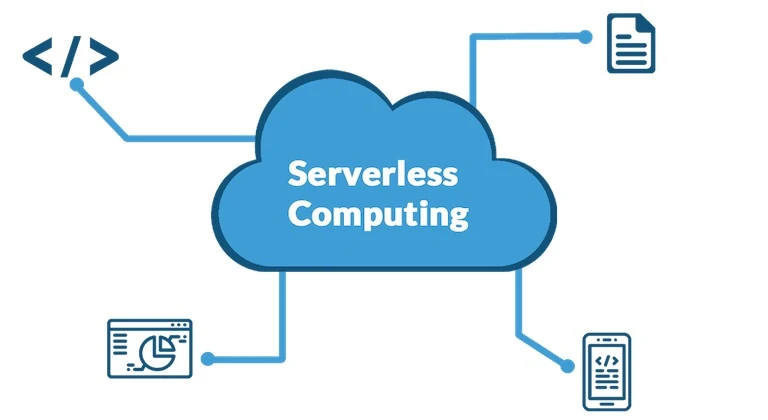
AI is also useful in serverless and event-driven cloud systems. A file upload can trigger document classification. A payment event can trigger fraud scoring. A sensor signal can trigger anomaly detection. A customer message can trigger routing or summarization. These patterns allow AI to be added to workflows without building one large application.
This approach works best when each step has a clear responsibility. Events should be validated, functions should be observable, and sensitive data should be protected. To understand the pattern in more detail, read our guide to serverless computing.
AI at the Edge and Connected Devices
Some AI decisions need to happen close to users, machines, or devices. Edge computing can process data near the source instead of sending everything to a central cloud region. This can reduce latency, lower bandwidth use, and improve reliability when connectivity is limited.
Connected devices create many small signals. AI can help identify patterns in those signals, but privacy and security are important. Smart homes, industrial sensors, healthcare devices, and transport systems need clear rules for what data is collected, where it is processed, and who can access it. For a related example, see our article on IoT home automation.
Challenges of Using AI in the Cloud
Data quality
AI systems need accurate, relevant, and well-governed data. Poor data creates poor recommendations. Before investing in advanced models, teams should improve data pipelines, naming standards, ownership, validation, and retention rules.
Security and privacy
AI workloads may use sensitive customer, employee, financial, or operational data. Access controls, encryption, masking, audit logs, and approval workflows are essential. Teams should avoid sending sensitive data into tools that are not approved for that use.
Cost visibility
AI workloads can become expensive because they may use high-performance compute, large datasets, model APIs, vector databases, and heavy logging. Cost tracking should be part of the architecture from the beginning.
Model accuracy and drift
A model can become less accurate as user behavior, business conditions, or system patterns change. Teams should monitor model performance, review outputs, and retrain or adjust models when needed.
Over-automation
Not every AI recommendation should trigger automatic action. High-risk actions such as deleting data, changing permissions, blocking users, or modifying production infrastructure should include review, approval, or strict guardrails.
Best Practices for AI in Cloud Computing
- Start with a specific problem. Good use cases include reducing incident response time, forecasting demand, detecting fraud, improving support workflows, or reducing cloud waste.
- Build a strong data foundation. AI depends on clean, governed, and accessible data.
- Use least-privilege access. AI tools should only access the data and services they need.
- Keep humans in control of risky actions. Automation should be reviewed when the impact is high.
- Measure before and after. Track cost, accuracy, response time, reliability, and business outcomes.
- Monitor models continuously. Watch for drift, bias, errors, and unexpected behavior.
- Document decisions. Teams should know why AI is used, what data it uses, and who owns the workflow.
- Plan for portability where it matters. Avoid unnecessary lock-in for critical datasets, model artifacts, and business logic.
Future of AI in Cloud Computing
The future of AI in cloud computing will be practical and integrated. AI will become part of monitoring tools, development workflows, security operations, data platforms, customer applications, and cost management systems. Instead of treating AI as a separate project, companies will use it inside everyday cloud operations.
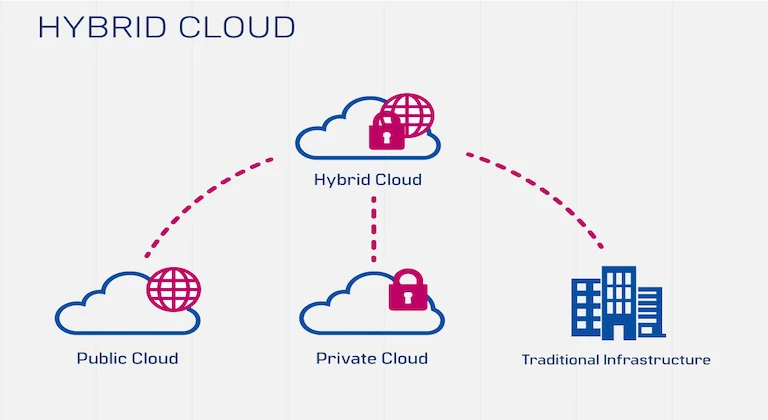
More teams will also combine AI with hybrid cloud, edge computing, serverless systems, and cloud-native development. The winners will not be the companies that add AI everywhere. The winners will be the companies that use AI carefully where it improves speed, accuracy, security, customer experience, or cost control.
FAQ
How is AI used in cloud computing?
AI is used in cloud computing for predictive scaling, security monitoring, anomaly detection, data analytics, customer support, personalization, document processing, and operations automation.
Why is the cloud useful for AI?
The cloud provides scalable compute, storage, managed databases, data pipelines, AI services, APIs, and monitoring tools. This helps teams build and deploy AI systems faster.
Can AI reduce cloud costs?
Yes, AI can help identify idle resources, forecast demand, recommend better capacity, and reduce waste. It still needs cost controls, budgets, and human review.
Is AI in the cloud secure?
It can be secure when designed properly. Teams need strong access controls, encryption, approved data handling, audit logs, and careful monitoring. AI does not replace basic security practices.
Conclusion
Artificial intelligence makes cloud computing more efficient, responsive, and intelligent. It helps teams predict demand, improve performance, detect threats, analyze data, personalize services, and troubleshoot complex systems faster.
The real value comes from using AI with discipline. Businesses need clean data, strong cloud security, cost visibility, measurable goals, and clear human oversight. When those foundations are in place, AI can turn cloud computing from a flexible infrastructure platform into a smarter engine for modern business operations.