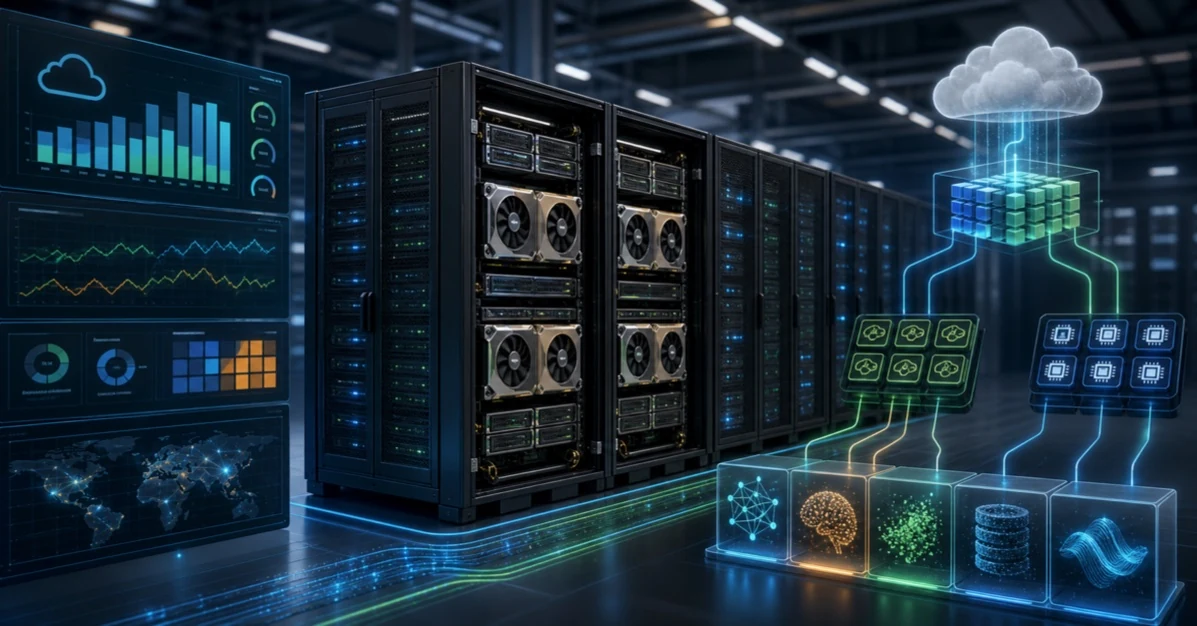
A new group of cloud providers is gaining attention in the AI infrastructure market. They are often called neoclouds: specialist GPU cloud companies built around accelerated computing, AI training, model fine-tuning, inference, and high-performance workloads. They are not trying to copy every service offered by AWS, Microsoft Azure, or Google Cloud. Instead, they focus on the part of cloud computing that has become scarce and strategically important: GPU capacity.
The rise of generative AI changed the cloud market. Companies need large pools of GPUs, fast networking, high-speed storage, container orchestration, model deployment tools, and support teams that understand AI workloads. Traditional hyperscalers still dominate broad cloud adoption, but neoclouds are challenging them in a narrower and very valuable area: delivering AI compute quickly and at scale.
This article explains what neoclouds are, why they exist, how they differ from hyperscalers, when businesses should consider them, and what risks to review before moving AI workloads to a specialist GPU cloud.
What Is a Neocloud?
A neocloud is a newer, specialized cloud provider focused on AI and accelerated computing rather than the full range of enterprise cloud services. Many neoclouds build their platforms around NVIDIA GPUs, high-bandwidth networking, Kubernetes or Slurm orchestration, fast storage, and AI developer workflows.
The term is market shorthand, not a formal technical category. It usually refers to GPU-first cloud providers such as CoreWeave, Lambda, Crusoe, Nebius, Gcore, GMI Cloud, and other AI infrastructure specialists. Some are focused on startups and AI labs. Others target enterprises, model builders, research teams, or regional customers that need high-performance compute without waiting for scarce hyperscaler capacity.
Neoclouds are best understood as AI infrastructure specialists. They compete where the workload is GPU-heavy, performance-sensitive, and capacity-constrained.
Why Neoclouds Are Growing
Neoclouds are growing because AI changed what many companies need from cloud infrastructure. A normal web application may need CPU instances, databases, load balancers, object storage, and monitoring. An AI company may need thousands of GPUs connected through high-speed networking, with storage and orchestration tuned for training and inference.
That demand created a gap. Hyperscalers have enormous infrastructure, but their GPU capacity is shared across cloud customers, internal AI teams, large strategic customers, and long-term commitments. Startups, research labs, and enterprises may struggle to secure the right GPU type, at the right time, in the right region, with the right networking and support.
Neoclouds try to win by being more focused. They may offer faster access to GPU clusters, simpler pricing for AI teams, hands-on support, bare-metal or dedicated capacity, Kubernetes-native environments, and services designed specifically for model builders.
Neoclouds vs Hyperscalers
AWS, Azure, and Google Cloud are broad platforms. They provide compute, storage, databases, networking, security, analytics, AI services, developer tools, enterprise contracts, global regions, compliance programs, and partner ecosystems. Neoclouds are usually narrower. Their value is depth in accelerated compute rather than breadth across every cloud category.
| Area | Neoclouds | AWS, Azure, and Google Cloud |
|---|---|---|
| Main focus | GPU clusters, AI training, fine-tuning, inference, and high-performance workloads. | Full cloud platforms for applications, data, security, AI, analytics, enterprise IT, and global operations. |
| Strength | Specialized GPU capacity, AI workload support, flexible clusters, and focused performance tuning. | Service breadth, global scale, compliance depth, enterprise integrations, and mature managed platforms. |
| Buyer | AI startups, model labs, research teams, GPU-heavy enterprises, and teams needing rapid capacity. | Enterprises running many types of workloads across business systems, applications, data, and AI. |
| Tradeoff | May have fewer managed services, fewer regions, and a smaller ecosystem. | May have capacity constraints, higher complexity, or less specialized attention for some AI workloads. |
| Best fit | GPU-intensive workloads where capacity, performance, and AI infrastructure support are the priority. | Broad cloud modernization, enterprise application platforms, integrated data services, and global operations. |
Why GPUs Changed the Cloud Market
GPUs are not ordinary cloud resources. They are expensive, power-hungry, supply-constrained, and sensitive to infrastructure design. A single GPU server is useful for small experiments, but large training and inference workloads need much more: fast interconnects, tuned drivers, high-performance storage, reliable scheduling, and careful capacity planning.
When GPUs are scarce, cloud competition changes. Customers do not only ask who has the best dashboard or the most database services. They ask who can deliver the right accelerators, at production scale, with predictable performance and support.
What Neoclouds Offer
Neocloud offerings vary, but the pattern is clear. They package GPU capacity with infrastructure features that AI teams need to move quickly.
- GPU instances and bare-metal servers. Customers can rent individual GPUs, multi-GPU nodes, or larger clusters.
- High-speed networking. Large training jobs may need fast GPU-to-GPU and node-to-node communication.
- Kubernetes or Slurm support. AI teams often need orchestration that fits model training and batch workloads.
- Fast storage. Training and inference pipelines need data to arrive quickly enough to keep GPUs busy.
- AI-focused support. Teams may need help with drivers, containers, distributed training, inference scaling, and performance tuning.
- Flexible commercial models. Some customers want on-demand capacity, while others need reserved clusters or long-term commitments.
The Neocloud Provider Landscape
The neocloud market is not one uniform category. Providers differ by customer focus, region, infrastructure depth, commercial model, managed services, and how closely they align with NVIDIA reference platforms or other accelerated computing ecosystems. Some sell developer-friendly GPU instances. Some sell large dedicated clusters. Some focus on inference. Some focus on sustainable or regional AI infrastructure. Some provide full-stack AI cloud services with storage, networking, orchestration, and support.
Examples commonly discussed in the neocloud and AI infrastructure market include CoreWeave, Lambda, Crusoe, Nebius, Gcore, GMI Cloud, Nscale, Together AI, Fluidstack, and other specialist GPU providers. The exact list changes quickly because AI infrastructure demand is changing quickly. The better way to understand the market is by provider type.
| Provider type | Typical strength | Best buyer fit | Questions to ask |
|---|---|---|---|
| AI-native GPU cloud | Large GPU clusters, AI orchestration, high-performance networking, and support for training and inference. | AI labs, model builders, large-scale startups, and enterprises with serious AI workloads. | Can the provider deliver the exact GPU type, cluster size, network fabric, and support level required? |
| Developer GPU cloud | Easy access to GPU instances, notebooks, APIs, and smaller-scale experimentation. | Developers, researchers, startups, and teams moving from prototype to early production. | How does the platform handle scaling, security, team access, and production inference? |
| Regional or sovereign AI cloud | Local data center presence, regional control, jurisdiction alignment, and local operations. | Governments, regulated industries, telecoms, and companies with data residency requirements. | What evidence exists for local operations, data control, compliance, and resilience? |
| Inference-focused provider | Optimized model serving, low-latency APIs, autoscaling, and cost per request or token. | Product teams running AI features for customers at scale. | What are the latency, throughput, model support, uptime, and observability guarantees? |
| Managed AI infrastructure partner | Dedicated capacity, procurement help, deployment support, and operational expertise. | Enterprises that need capacity and expertise but do not want to build everything alone. | Who owns incident response, patching, drivers, cluster health, and capacity planning? |
What a Serious GPU Cloud Platform Needs
A real AI cloud is not just a room full of GPUs. It is a system. The GPU is the expensive part, but the surrounding platform determines whether the GPU produces useful work. If storage is slow, GPUs wait. If networking is weak, distributed training suffers. If orchestration is poor, utilization drops. If observability is thin, engineers waste time debugging infrastructure instead of models.
Training, Fine-Tuning, and Inference Need Different Infrastructure
One reason the neocloud market is confusing is that "AI workload" can mean very different things. A training job, a fine-tuning job, an inference API, and a research notebook all use GPU infrastructure differently.
| Workload | Infrastructure priority | Neocloud evaluation focus |
|---|---|---|
| Large model training | Multi-node clusters, high-speed interconnect, distributed storage, fault handling, and long job stability. | Cluster topology, network bandwidth, checkpointing, job scheduling, and support during failures. |
| Fine-tuning | Flexible GPU access, secure data handling, repeatable environments, and fast experiment turnaround. | Framework support, container images, dataset movement, experiment tracking, and cost controls. |
| Batch inference | Throughput, queue management, batch scheduling, and cost per output. | Autoscaling, utilization, job orchestration, storage throughput, and monitoring. |
| Real-time inference | Latency, availability, autoscaling, model loading speed, and regional placement. | Serving stack, load balancing, cold starts, observability, uptime, and rollback. |
| Research and prototyping | Easy startup, notebook access, small GPU instances, and simple billing. | User experience, quotas, image library, cleanup tools, and team permissions. |
Where Neoclouds Can Challenge Hyperscalers
Neoclouds are not replacing AWS, Azure, or Google Cloud for every workload. They are challenging them in targeted areas where GPU capacity, cost, and AI specialization matter more than having every cloud service in one place.
When a Business Should Consider a Neocloud
A neocloud may be a good fit when the AI workload is large enough that GPU access, performance, and cost become strategic issues. It can also make sense when a team needs capacity faster than its main cloud provider can deliver.
| Use case | Why a neocloud may help | What to check first |
|---|---|---|
| Model training | Large jobs need clusters, fast networking, and predictable GPU availability. | Cluster topology, storage speed, job scheduling, failure handling, and data transfer cost. |
| Fine-tuning | Teams may need short bursts of GPU capacity without long procurement cycles. | Supported frameworks, data security, model artifact storage, and repeatability. |
| Inference at scale | High-volume AI features need low latency, autoscaling, and cost control. | Serving stack, regional latency, observability, uptime, and pricing per output. |
| Research and experimentation | Teams can test GPU types, frameworks, and model designs quickly. | Quota limits, billing controls, user access, and experiment cleanup. |
| Capacity diversification | A second GPU provider can reduce dependency on one hyperscaler. | Portability, networking, data movement, security policy, and operational complexity. |
Risks and Tradeoffs
Neoclouds can be valuable, but they are not automatically better. A business should review risk carefully before moving critical AI workloads.
- Service breadth may be limited. A neocloud may not offer the same range of databases, analytics, identity, security, and enterprise services as a hyperscaler.
- Data movement can be expensive. Moving datasets between clouds can add cost, latency, and operational risk.
- Regional coverage may be narrower. Some providers may not have the same global footprint as AWS, Azure, or Google Cloud.
- Operational maturity varies. Buyers should evaluate uptime, support, incident response, security controls, and financial stability.
- Portability needs planning. Training pipelines, containers, storage formats, and orchestration should be designed to move if needed.
- Compliance must be verified. Certifications, data residency, access controls, and audit evidence should match the workload's requirements.
Neocloud Economics: Cheap GPU Hours Are Not the Whole Story
It is tempting to compare providers only by hourly GPU price. That is too shallow. AI infrastructure economics depend on utilization, data movement, storage, networking, support, engineering time, failure rate, commitment terms, and how quickly the team can get useful work done.
A cheaper GPU hour can be more expensive if jobs fail, storage is slow, clusters are hard to operate, or engineers spend too much time debugging infrastructure. A more expensive provider can be cheaper overall if it improves utilization, shortens training time, reduces failed runs, or gives the team capacity exactly when needed.
| Cost item | Why it matters | What to measure |
|---|---|---|
| GPU utilization | Idle GPUs are expensive and can erase pricing advantages. | Average utilization, queue time, failed jobs, and idle reserved capacity. |
| Training time | Faster jobs reduce cost and speed up model iteration. | Time per epoch, checkpoint overhead, and total wall-clock time. |
| Data transfer | Moving datasets across clouds can create egress cost and delay. | Inbound transfer, outbound transfer, replication time, and recurring pipeline movement. |
| Storage performance | Slow storage can make powerful GPUs wait for data. | Read/write throughput, latency, cost per tier, and cache hit rate. |
| Support and operations | Specialist help can reduce failed runs and outage time. | Response time, escalation quality, runbook maturity, and engineering hours saved. |
| Commitment risk | Long-term reservations save money only if demand is predictable. | Reserved versus actual usage, workload forecast accuracy, and cancellation flexibility. |
How to Benchmark a Neocloud Properly
A real benchmark should use the company's own workload or a close substitute. Generic benchmarks can help narrow a list, but they do not prove that a provider will run your jobs well.
A useful benchmark should test:
- Provisioning speed: how quickly the team can get the required GPU capacity.
- Training throughput: whether distributed jobs scale efficiently across nodes.
- Inference latency: p50, p95, and p99 latency under realistic traffic.
- Storage pipeline: whether data loading keeps GPUs busy.
- Failure recovery: what happens when a node fails or a job is interrupted.
- Operational visibility: whether logs, metrics, GPU health, network performance, and cost data are easy to inspect.
- Security controls: whether identity, secrets, network isolation, encryption, and audit logging meet requirements.
- Portability: whether containers, orchestration, data formats, and model artifacts can move if needed.
How Neoclouds Fit Into a Multi-Cloud AI Strategy
Many companies will not choose one cloud for everything. A practical strategy may use a hyperscaler for core business systems and managed data services, while using a neocloud for GPU-heavy AI workloads. This can work well if the architecture is intentional.
The key is to avoid accidental complexity. Identity, networking, data movement, security monitoring, cost reporting, and deployment workflows must be designed across providers. Otherwise, the savings or capacity benefits can be lost in operational friction.
For related planning, see our articles on AI cloud infrastructure, FinOps for AI, and private AI cloud vs public AI cloud.
How to Evaluate a Neocloud Provider
Do not evaluate a neocloud only by the GPU model listed on a pricing page. The surrounding platform determines whether the GPUs will be useful, reliable, and cost-effective.
| Evaluation area | Questions to ask | Why it matters |
|---|---|---|
| GPU capacity | Which GPU types are available, in what quantities, and under what reservation terms? | Capacity promises must match the workload schedule and growth plan. |
| Networking | What interconnect is used between GPUs and nodes? How is east-west traffic handled? | Large training jobs can fail economically if networking is weak. |
| Storage | Can storage feed training jobs fast enough? Are object, file, and local storage options available? | Slow data pipelines waste expensive accelerator time. |
| Orchestration | Does the provider support Kubernetes, Slurm, containers, and the team's preferred tooling? | Good orchestration improves utilization and repeatability. |
| Security | How are identity, network isolation, encryption, logging, vulnerability management, and access reviews handled? | AI workloads often process sensitive data and valuable model assets. |
| Support | Does the support team understand distributed AI training, inference, drivers, and performance issues? | Specialist support can shorten outages and failed experiments. |
| Commercial terms | How do on-demand, reserved, committed, and dedicated options differ? | AI infrastructure cost depends heavily on utilization and commitment structure. |
Decision Roadmap
A neocloud decision should start with workload needs, not provider hype. Use a structured process before committing important AI systems.
Procurement and Contract Questions
AI infrastructure contracts can be very different from normal cloud subscriptions. Some buyers need on-demand capacity. Others need reserved clusters, dedicated environments, private connectivity, or multi-year commitments. Before signing, procurement, engineering, security, and finance should review the same facts.
- What GPU types, quantities, and regions are guaranteed?
- Is capacity on-demand, reserved, dedicated, or subject to availability?
- What uptime, support, and response commitments are included?
- How are storage, data transfer, networking, public IPs, snapshots, logs, and support billed?
- Who owns responsibility for drivers, host patching, orchestration, and cluster health?
- Can the provider support private networking to the company's main cloud or data center?
- What happens if the provider cannot deliver committed capacity?
- What are the data deletion, export, backup, and exit terms?
- Which compliance reports, certifications, and audit evidence are available?
- How does the provider handle security incidents and customer notification?
Migration Patterns for AI Teams
Moving to a neocloud does not have to be an all-or-nothing migration. Teams can use several patterns.
| Pattern | How it works | Best for | Main risk |
|---|---|---|---|
| Burst capacity | Keep the main AI platform in the current cloud and burst training or inference jobs to a neocloud. | Teams with occasional GPU shortages or large experiments. | Data movement, networking, and environment mismatch. |
| Dedicated training environment | Use the neocloud for training and keep production serving elsewhere. | Model builders that need large clusters but already have a production platform. | Moving model artifacts, datasets, and evaluation results safely. |
| Inference platform | Host production model serving on the neocloud for cost, latency, or capacity reasons. | AI products with high-volume inference demand. | Reliability, observability, rollback, and user-facing latency. |
| Second-source GPU provider | Use the neocloud as a backup or parallel provider for GPU capacity. | Companies reducing dependency on one cloud provider. | Operational complexity and inconsistent tooling. |
| AI lab sandbox | Use the neocloud for controlled experimentation before production decisions. | Research teams and startups testing model strategies. | Shadow infrastructure if governance is weak. |
Will Neoclouds Replace AWS, Azure, and Google Cloud?
For most businesses, no. Hyperscalers are deeply embedded in enterprise IT, data platforms, security programs, developer workflows, compliance operations, and global application delivery. They also invest heavily in AI infrastructure themselves.
But neoclouds do not need to replace hyperscalers to matter. They can become important capacity partners, specialist AI infrastructure providers, regional GPU platforms, or performance-focused alternatives for teams that need more flexible accelerator access.
The more likely future is a mixed market. Hyperscalers will remain central to cloud computing. Neoclouds will compete for AI workloads where specialization, availability, and GPU economics are decisive.
Common Mistakes to Avoid
- Choosing only by hourly GPU price. Total cost includes storage, networking, utilization, data transfer, engineering time, failed jobs, and support.
- Ignoring data gravity. If the data already lives in a hyperscaler, moving it to a neocloud may add complexity and cost.
- Skipping security review. AI workloads may include customer data, source code, model weights, and proprietary datasets.
- Assuming all GPUs perform the same. Cluster design, drivers, networking, and storage can change real performance.
- Overcommitting too early. Reserved capacity can save money, but only after workload patterns are understood.
- Forgetting exit planning. Keep containers, data formats, orchestration, and deployment workflows portable where possible.
Frequently Asked Questions
Are neoclouds only for large AI companies?
No. Large model builders may need the biggest clusters, but smaller teams can use neoclouds for experimentation, fine-tuning, batch jobs, or inference when GPU access is easier or more cost-effective than their main cloud provider.
Are neoclouds cheaper than hyperscalers?
Sometimes, but not always. The real comparison is total cost per useful result. Include GPU utilization, job runtime, storage, networking, data transfer, engineering time, support, and failure recovery.
Do neoclouds support enterprise security?
Some do, but maturity varies. Buyers should verify identity controls, network isolation, encryption, audit logs, compliance evidence, incident response, vulnerability management, and contractual commitments before using a neocloud for sensitive workloads.
Should a company move all AI workloads to a neocloud?
Usually no. Most companies should place workloads based on need. Some AI work may stay with a hyperscaler because data, applications, and security controls already live there. GPU-heavy training or inference may fit a neocloud better.
What is the biggest technical mistake?
The biggest mistake is treating GPU availability as the only requirement. AI workloads also need fast storage, high-speed networking, orchestration, observability, security, cost controls, and support.
Conclusion
Neoclouds are a response to a real market shift. AI made GPU infrastructure one of the most valuable parts of cloud computing, and specialist providers are building platforms around that demand. They challenge AWS, Azure, and Google Cloud not by offering every cloud service, but by competing directly for AI training, fine-tuning, inference, and high-performance compute workloads.
For businesses, the opportunity is practical. A neocloud can provide additional GPU capacity, AI-focused support, flexible clusters, and better fit for certain model workloads. The risk is also practical: fewer services, less regional breadth, data movement challenges, and varying provider maturity.
The right strategy is not hype-driven. Classify the workload, benchmark real jobs, compare total cost, review security, and decide whether a neocloud should be a primary platform, a specialist provider, or a second source of GPU capacity. Used carefully, neoclouds can give AI teams more options in a cloud market where accelerator access has become a competitive advantage.