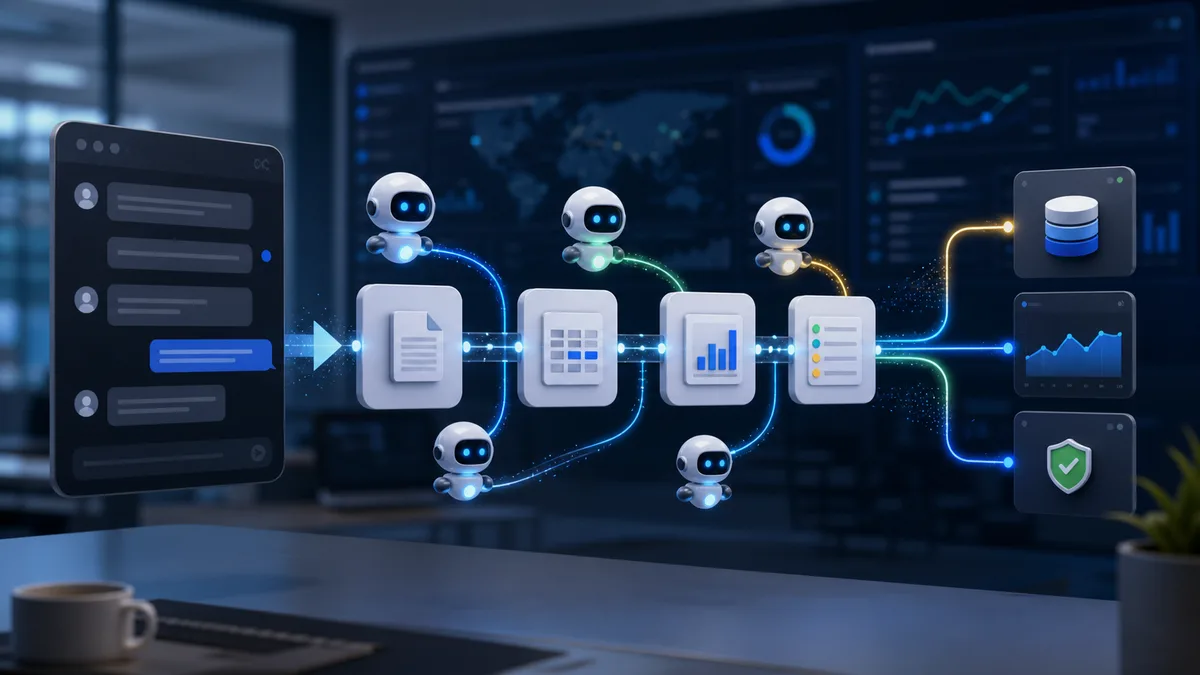
Cloud environments are getting harder to manage by hand. A single business may run containers, virtual machines, databases, queues, APIs, serverless functions, storage buckets, security tools, monitoring dashboards, cost reports, and deployment pipelines across several regions or providers. Every layer produces logs, metrics, alerts, events, traces, policy changes, and billing signals.
AI agents are emerging as a way to reduce that operational burden. Instead of only showing dashboards or sending alerts, an AI agent can collect context, investigate a problem, suggest a fix, open a ticket, run a safe automation, summarize the incident, or explain why a cost spike happened. Used carefully, these tools can help cloud teams move from reactive troubleshooting to faster, more proactive operations.
AI agents do not replace cloud engineers. They are not magic autopilots. The best use is as a controlled assistant that helps humans see patterns, reduce repetitive work, and respond faster while still respecting security, approval, and change-management rules.
What Is an AI Agent in Cloud Management?
An AI agent in cloud management is software that can observe a cloud environment, reason over signals, and take or recommend actions toward a goal. It may connect to monitoring tools, cloud APIs, logs, incident systems, runbooks, configuration data, cost reports, security findings, and deployment pipelines.
A basic AI assistant may answer questions such as, "Why did CPU usage increase?" An AI agent goes further. It can gather related logs, compare recent deployments, check dependency health, inspect error rates, identify likely causes, recommend a rollback, or trigger a pre-approved remediation workflow.
The important word is controlled. A cloud AI agent should operate within permissions, policies, guardrails, and approval paths. It should not have unlimited access to change production systems.
AI Assistant, AIOps, and AI Agent: What Is the Difference?
Cloud vendors and software companies use many overlapping terms. The differences matter because each category has a different risk level.
| Category | What it does | Typical cloud use | Risk level |
|---|---|---|---|
| AI assistant | Answers questions, explains resources, drafts scripts, and helps users navigate cloud services. | Ask what a resource does, generate a command, summarize a dashboard, or explain an error. | Low to moderate, depending on what data it can see. |
| AIOps tool | Uses analytics and machine learning to detect anomalies, correlate alerts, and improve incident response. | Reduce alert noise, detect abnormal latency, predict capacity pressure, and group incidents. | Moderate, because it influences operational decisions. |
| AI agent | Uses tools, context, and goals to investigate, plan, recommend, or take controlled action. | Investigate an outage, open tickets, run approved remediation, or prepare a rollback plan. | Moderate to high, depending on autonomy and permissions. |
| Autonomous remediation system | Automatically changes cloud systems based on detected conditions and policies. | Restart services, scale capacity, quarantine resources, rotate keys, or apply policy fixes. | High unless tightly limited, tested, and audited. |
Reference Architecture for a Cloud Management Agent
A cloud management agent needs more than a chat window. It needs trusted data sources, tool permissions, policy boundaries, memory rules, audit logs, approval workflows, and rollback paths. Without those layers, the agent becomes a risky automation script with a natural-language interface.
Why Cloud Teams Need Smarter Tools
Cloud operations teams already have monitoring, alerting, logging, and automation tools. The problem is volume and context. One outage may trigger hundreds of alerts. One cost spike may involve compute, storage, traffic, model inference, and deployment changes. One security issue may involve identity permissions, network rules, exposed resources, and suspicious behavior.
AI agents can help by connecting the dots. They can read multiple signals together, compare current behavior with past patterns, find related changes, and summarize likely causes in plain language. This reduces the time engineers spend switching between dashboards and manually reconstructing what happened.
What AI Agents Can Do in Cloud Management
AI agents are useful across several cloud management areas. They are strongest when the task has clear data sources, repeatable steps, and well-defined guardrails.
| Cloud problem | How an AI agent can help | Human control needed |
|---|---|---|
| Too many alerts | Group related alerts, suppress duplicates, identify the likely root event, and summarize impact. | Engineers should approve alert rules and escalation policies. |
| Slow incident diagnosis | Inspect logs, metrics, traces, recent deployments, and dependency health to suggest likely causes. | Humans should validate the diagnosis before major production changes. |
| Cloud cost spikes | Find unusual usage, compare with normal patterns, identify owners, and suggest right-sizing actions. | Finance and engineering should approve cost-impacting changes. |
| Security misconfigurations | Detect risky permissions, public exposure, weak policies, or drift from approved baselines. | Security teams should define policy and review high-risk remediation. |
| Operational drift | Compare live environments against infrastructure-as-code, approved architecture, and runbook expectations. | Platform teams should control what changes are allowed automatically. |
What Data an Agent Needs
An agent is only as useful as the context it can safely access. Too little data creates shallow answers. Too much data creates privacy, security, and performance risks. The goal is controlled context.
- Metrics: CPU, memory, disk, network, latency, throughput, queue depth, error rates, and saturation signals.
- Logs: application logs, system logs, audit logs, deployment logs, security logs, and managed service logs.
- Traces: request paths, service dependencies, bottlenecks, and distributed transaction timing.
- Topology: resources, regions, networks, clusters, services, dependencies, and ownership mapping.
- Change history: deployments, configuration changes, infrastructure-as-code updates, policy changes, and feature flags.
- Runbooks: approved diagnostic steps, rollback instructions, escalation paths, and known issue records.
- Cost data: budgets, usage trends, resource tags, commitments, anomaly alerts, and owner information.
- Security data: identity permissions, vulnerability findings, posture rules, threat alerts, and compliance requirements.
This data should be filtered by role and need. An agent that helps developers debug a service does not automatically need access to secrets, payroll data, customer records, or unrelated production systems.
Monitoring: From Alerts to Answers
Traditional monitoring tells teams something changed. AI-assisted monitoring can help explain why it changed. A useful agent can read telemetry from multiple systems and turn raw signals into a clearer operating picture.
For example, a normal alert may say error rates increased. An AI agent can check whether a deployment happened, whether one region is affected, whether database latency changed, whether traffic spiked, whether a third-party API is failing, and whether similar incidents happened before. The output is not just an alert. It is an investigation summary.
Fixing Problems: Safe Automation Matters
The most powerful cloud agents can do more than suggest fixes. They can trigger actions. That could mean restarting a failed service, scaling a deployment, rolling back a release, rotating a key, closing a public storage rule, or opening a change request.
This is where guardrails become essential. Not every action should be automatic. A low-risk development environment may allow more automation. A payment system, healthcare platform, or production database should require stricter approval.
| Action level | Example | Recommended control |
|---|---|---|
| Read-only investigation | Summarize logs, identify deployment changes, compare metrics, and review configuration. | Allow broadly, but log all agent access and protect sensitive data. |
| Low-risk action | Create a ticket, notify an owner, label a resource, or suggest a runbook. | Allow automation with clear audit trails. |
| Controlled remediation | Restart a non-critical service, scale capacity within limits, or apply a known safe fix. | Use pre-approved workflows, limits, rollback steps, and notification. |
| High-impact change | Rollback production, change firewall rules, delete resources, rotate critical credentials, or modify databases. | Require human approval, change record, and post-action review. |
Autonomy Levels for Cloud Agents
Not every agent needs the same level of autonomy. A mature cloud operations program should define levels clearly so teams know what the agent is allowed to do.
| Level | Agent behavior | Suitable use | Control requirement |
|---|---|---|---|
| Level 0 | No automation. Dashboards and alerts only. | Baseline monitoring and manual operations. | Normal observability access. |
| Level 1 | Explains signals and summarizes incidents without taking action. | Read-only troubleshooting and training newer team members. | Scoped read access and output review. |
| Level 2 | Recommends actions and prepares tickets, runbooks, or commands. | Incident triage, cost review, and security investigation. | Human approval before execution. |
| Level 3 | Executes low-risk, pre-approved workflows within limits. | Restarting non-critical jobs, scaling within thresholds, or tagging resources. | Policy engine, audit trail, limits, and rollback. |
| Level 4 | Runs broader remediation with conditional approval or emergency rules. | Mature operations teams with tested runbooks and strong observability. | Strict change management, real-time monitoring, and post-action review. |
| Level 5 | Fully autonomous production operations. | Rare and high risk for most businesses today. | Formal safety case, exhaustive testing, strong rollback, and executive risk acceptance. |
Reducing Cloud Problems Before They Happen
The best cloud management agents do not only react to incidents. They can reduce the chance of problems by finding weak signals early. This includes unusual traffic growth, unused resources, risky permissions, storage nearing limits, certificate expiration, database saturation, deployment drift, or rising error patterns.
Over time, agents can help teams move from firefighting to prevention. They can identify repeated incident patterns, recommend runbook improvements, find common configuration mistakes, and show which services need better capacity planning.
Cloud Cost Management With AI Agents
Cloud cost problems often hide in normal-looking activity. A test cluster stays on all weekend. A database is oversized. Logs are retained too long. GPU jobs run without budget limits. Data transfer grows after an architecture change. A storage tier no longer matches access patterns.
An AI agent can help by watching cost signals and connecting them to owners, deployments, traffic patterns, and resource configuration. It can explain the likely source of a spike and suggest practical fixes such as right-sizing, scheduling shutdowns, moving data to a cheaper tier, cleaning unused resources, or setting budget alerts.
For AI-heavy workloads, this connects directly to FinOps for AI, where teams need to control GPU, model, and inference spending without slowing useful experimentation.
Security and Compliance Use Cases
AI agents can also support cloud security. They can review policy drift, detect public exposure, summarize suspicious access, identify over-permissive roles, inspect audit logs, and recommend remediation steps. They can help security teams prioritize issues by business impact instead of treating every finding equally.
However, security agents need strict boundaries. They may have access to sensitive logs, identities, resource maps, and vulnerability data. Their permissions should be limited, monitored, and reviewed like any other privileged system.
Runbooks Are the Foundation of Safe Agentic Operations
An agent should not invent production procedures from scratch during an incident. It should rely on approved runbooks, policies, and tested workflows. The better the runbooks, the safer the agent.
Good runbooks include:
- Clear symptoms that define when the runbook applies.
- Diagnostic steps and the data sources to check.
- Known false positives and cases where the runbook should stop.
- Safe remediation steps with expected impact.
- Rollback instructions if the fix creates a new problem.
- Escalation paths for service owners, security teams, and incident commanders.
- Post-incident documentation requirements.
AI agents can make runbooks easier to use by finding the right one, filling in context, checking prerequisites, drafting commands, and explaining consequences. But the runbook itself should remain an approved operational artifact.
Risks of AI Agents in Cloud Management
AI agents introduce their own risks. They can misunderstand context, make poor recommendations, over-prioritize the wrong signal, expose sensitive data in summaries, or trigger changes too aggressively. They can also become a new attack surface if connected to powerful cloud APIs.
Common risks include:
- Over-permissioned agents. An agent with broad production access can cause serious damage if compromised or misdirected.
- Bad automation. A fix that works in one system may break another if context is incomplete.
- Data leakage. Logs, prompts, tickets, and summaries may contain secrets, customer data, or architecture details.
- False confidence. Teams may trust agent recommendations without enough review.
- Poor auditability. If actions are not logged clearly, incident review and compliance become harder.
How to Deploy Cloud AI Agents Safely
The safest approach is gradual. Start with read-only analysis and recommendations. Move to low-risk automation only after the agent proves useful. Keep high-impact changes behind human approval.
| Deployment phase | What the agent does | Success measure |
|---|---|---|
| Phase 1: Read-only | Summarizes alerts, explains cost changes, reviews logs, and suggests next steps. | Faster investigation and fewer dashboard switches. |
| Phase 2: Assisted operations | Creates tickets, drafts incident summaries, recommends runbooks, and prepares change requests. | Cleaner handoffs, better documentation, and faster triage. |
| Phase 3: Approved automation | Runs pre-approved remediation for low-risk actions within strict limits. | Fewer repeat incidents and shorter recovery time. |
| Phase 4: Continuous improvement | Analyzes recurring issues, recommends architecture improvements, and updates runbooks. | Lower incident volume and better cloud reliability over time. |
How to Measure Whether AI Agents Are Working
An AI agent should be measured like any other operational tool. If it only creates impressive summaries but does not reduce real operational pain, it is not delivering enough value.
| Metric | What it shows | Warning sign |
|---|---|---|
| Mean time to acknowledge | Whether the agent helps route and explain alerts faster. | Alerts still wait because ownership is unclear. |
| Mean time to diagnose | Whether engineers find likely causes faster. | The agent summarizes symptoms but does not add useful context. |
| Mean time to recover | Whether approved recommendations or automation reduce outage duration. | Agent suggestions are too generic or require too much manual verification. |
| Alert compression ratio | Whether related alerts are grouped into fewer useful incidents. | Important alerts are hidden or grouped incorrectly. |
| Recommendation acceptance rate | Whether engineers trust the agent's next steps. | Low acceptance means poor context, weak runbooks, or hallucinated reasoning. |
| Automation rollback rate | Whether automated fixes are safe and accurate. | Frequent rollbacks mean automation should be paused and redesigned. |
| Cost anomaly resolution time | Whether cost spikes are identified and assigned faster. | Cost recommendations lack owners, business context, or savings estimates. |
Implementation Roadmap
A strong rollout starts with narrow scope and expands only after the agent proves reliable.
- Pick one operational pain point. Start with alert triage, cost anomaly summaries, deployment investigation, or runbook search.
- Connect limited data sources. Give the agent the minimum context needed to be useful.
- Keep the first version read-only. Let teams compare agent analysis with human investigation.
- Create approval gates. Decide which actions require service owner, SRE, security, or finance approval.
- Add low-risk workflows. Automate ticket creation, owner notification, tagging, or report generation before production remediation.
- Evaluate recommendations. Track accuracy, usefulness, false positives, missed issues, and engineer feedback.
- Expand by runbook. Add automation only for procedures that are documented, tested, and reversible.
- Review permissions regularly. Agent access should be treated like privileged access and removed when no longer needed.
Governance Checklist
Before giving an AI agent access to cloud systems, define the rules clearly:
- Which systems can the agent read?
- Which actions can it recommend?
- Which actions can it perform automatically?
- Which actions require human approval?
- How are prompts, outputs, and summaries stored?
- Can the agent see secrets, customer data, or sensitive logs?
- How are all agent actions audited?
- Who reviews agent performance and errors?
- How are permissions removed if the agent behaves incorrectly?
- What is the rollback plan for automated changes?
Frequently Asked Questions
Can AI agents replace cloud operations teams?
No. They can reduce repetitive work and speed up investigation, but humans still own architecture, risk decisions, production change approval, incident command, and business tradeoffs.
What is the safest first use case?
Read-only incident summarization is usually a safe starting point. The agent can gather logs, metrics, changes, and ownership information without modifying production systems.
Should agents be allowed to fix production automatically?
Only for narrow, low-risk, pre-approved actions with limits, audit logs, and rollback. High-impact changes should require human approval until the organization has strong evidence that automation is safe.
What cloud data should be excluded?
Secrets, private keys, passwords, regulated personal data, sensitive customer records, and unrelated business data should be excluded or heavily redacted unless there is a clear need and strong protection.
What makes an agent trustworthy?
Useful context, limited permissions, accurate recommendations, clear explanations, audit trails, tested runbooks, measurable outcomes, and the ability for humans to review and override actions.
Where AI Agents Fit in the Future of Cloud Operations
Cloud management is moving toward more intelligent operations. Monitoring tools will become more conversational. Runbooks will become more automated. Cost reports will become more explanatory. Security findings will be prioritized with more context. Incident response will include AI-generated timelines, likely causes, and recommended actions.
Still, cloud operations will remain a human responsibility. Businesses need people to design architecture, set policy, approve risk, understand tradeoffs, and make decisions when systems behave in unexpected ways. AI agents can reduce the noise, but humans still own the outcome.
Conclusion
AI agents can make cloud management faster and more proactive. They can monitor signals, investigate incidents, explain cost changes, detect security drift, recommend fixes, and run safe automation under clear controls. The value is not replacing engineers. The value is helping teams find the right signal faster and reduce repetitive operational work.
The best starting point is a controlled one: read-only analysis, clear permissions, strong audit logs, and human review for important changes. As trust grows, teams can add approved automation for low-risk tasks. Used carefully, AI agents can help cloud teams monitor, fix, and reduce problems before they become expensive outages.
For related background, read our guides on AI in cloud computing, cloud-native applications, and cloud security best practices.