Apple's Clean Up tool is the kind of AI feature that should be boring in the best way. Users do not open Photos hoping to study generative editing. They want to remove a distracting object, fix a background, and move on. A new iOS 27 comparison suggests Apple may finally be getting closer to that ordinary usefulness after an uneven start with earlier Apple Intelligence photo features.
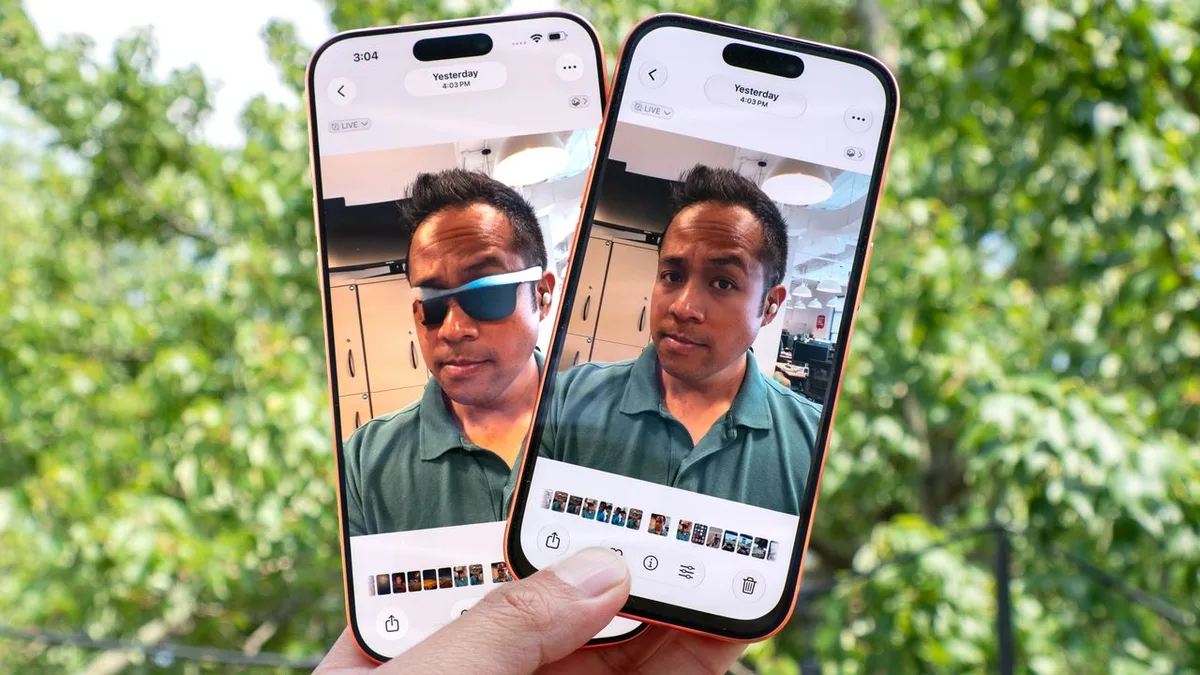
Object removal is a deceptively hard problem. A phone has to understand what the user wants removed, rebuild the missing area, preserve texture, and avoid leaving obvious smears. The difference between impressive and embarrassing can be a small edge around a person's arm or a repeated pattern in the background. That is why side-by-side testing matters more than a launch-stage claim.
Tom's Guide compared the iOS 27 Clean Up tool against the iOS 26 version and found the newer beta shockingly better. The article is useful because it treats the feature as a practical editing tool rather than a broad AI promise. That is exactly how most iPhone owners will judge it.
Apple needed this improvement. Google has spent years making Magic Eraser and related tools part of the Pixel identity, while Samsung has folded similar features into Galaxy AI. Apple cannot win the AI photo story only by saying it protects privacy. The feature has to work well enough that users choose it naturally instead of sending photos to another app.
The small-workflow angle also appeared in our coverage of the iOS 27 Apple Pay card switching fix. Apple often improves the iPhone by reducing tiny points of friction. Clean Up belongs in that same category. It is not about replacing photographers. It is about removing a trash can, a passerby, or a reflection without turning editing into a separate chore.
The trust layer still matters. AI cleanup can change a memory in ways that users barely notice later. Apple should make edited images easy to identify in metadata and should avoid hiding the fact that a photo was altered. Most people will use Clean Up harmlessly, but responsible design means assuming that realistic edits can travel outside their original context.
There is also the question of where processing happens. If Apple can keep most Clean Up work on-device, the feature becomes more private and more immediate. If harder edits require cloud help, Apple will need clear language around what leaves the phone. Users may not read every privacy panel, but they do care when personal photos are involved.
The iOS 27 test is encouraging because it shows Apple improving an everyday feature rather than chasing only headline demos. Clean Up does not need to be the flashiest AI tool on the market. It needs to be reliable, fast, and easy enough that people forget it is AI at all. That is usually when Apple software is at its strongest.
Clean Up also has an advantage over more ambitious image generation because the user begins with a real photo. That keeps the feature grounded in a memory rather than building a scene from nothing. Apple can improve the tool step by step, focusing first on better edges, shadows, and repeated patterns. If those basics become dependable, the feature will earn more trust than louder AI demos.